
Build your perfect day,
block by block.
The zero-bloat time block planner for macOS. Plan your day, stay in flow, and actually finish what you start — no subscription needed.
Requires macOS 14 Sonoma or later · No credit card required
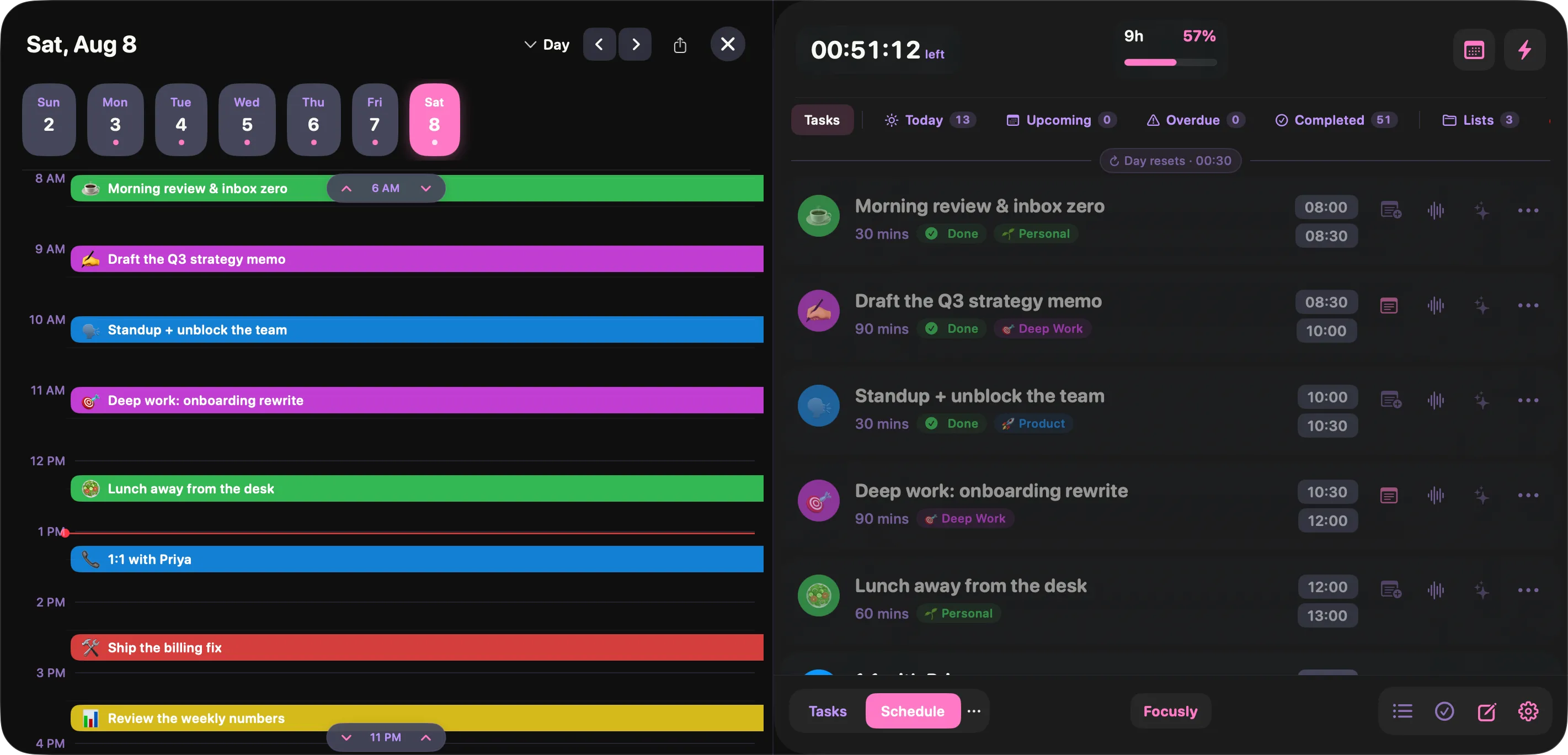
The real app, not a mockup — see every screen.
Works seamlessly with
Built for focus, not feature bloat
Every feature in Focusly exists because it helps you do more with your day — nothing extra, nothing in the way.
Templates & Routines
Save your best layouts as reusable templates and automatically apply them to specific days of the week.
Calendar Integration
Sync with Google Calendar and Outlook so your time blocks always fit around your real schedule.
Lives in Your Menubar
Always one click away. Focusly sits quietly in your macOS menubar — no window switching, no distraction.
Instant Timers
Kick off a focused work block in a single click — perfect when you just need to start without overthinking.
Fullscreen Notifications
When a block ends, a fullscreen alert takes over — so you never drift into the next thing by accident.
Fully Customisable
Name your blocks, add emojis, set durations, pick themes. Shape your day exactly the way you think.
100% Local Storage
Your schedule never leaves your device. No cloud sync, no data sharing, no privacy concerns.
Light & Dark Themes
Matches your macOS appearance automatically, or lock to whichever mood you're in.
One-time Purchase
Pay once, own it forever. No subscriptions, no renewals, no surprise charges. Lifetime access from day one.
A quick look around
Four of the screens you will actually live in. There are a dozen more.
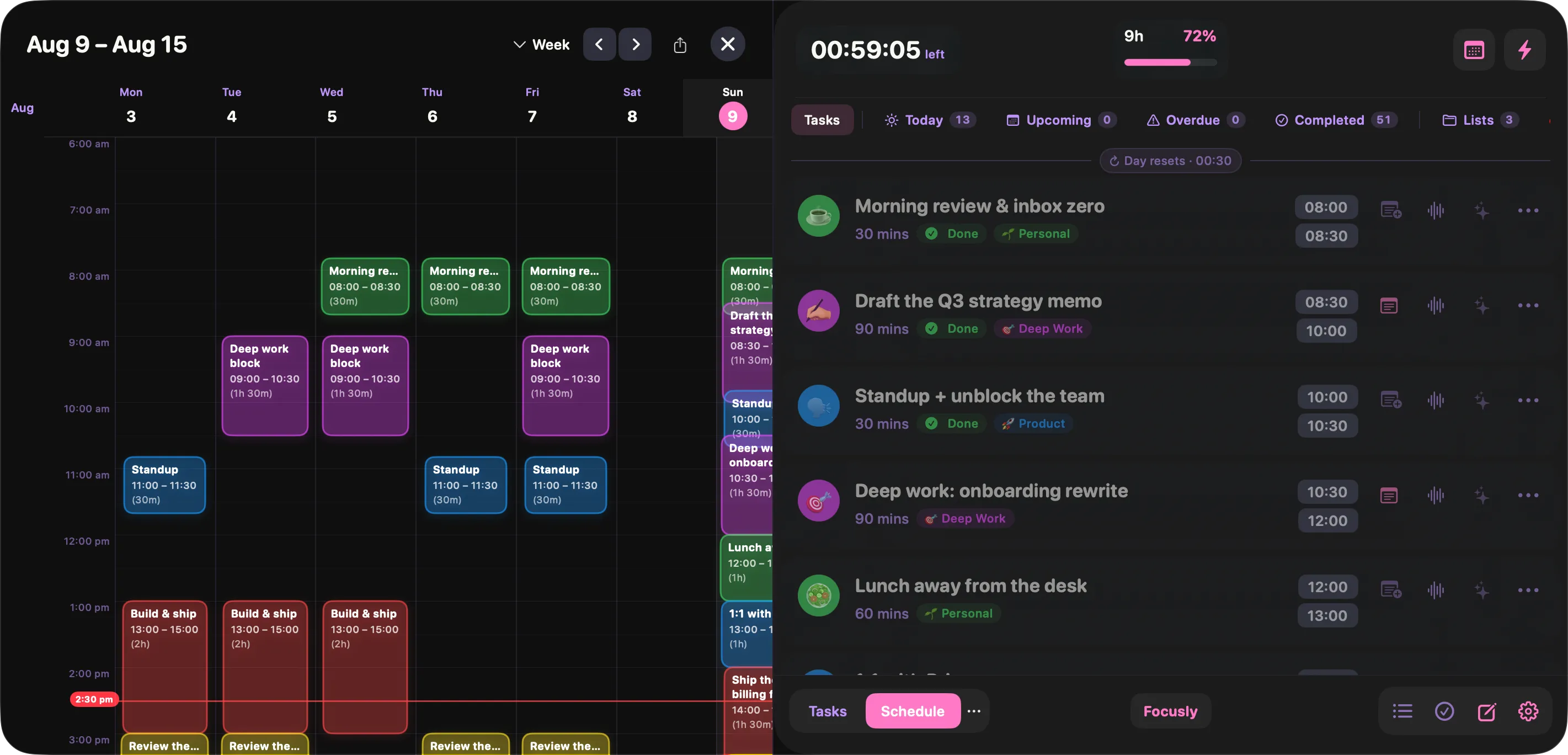
A whole week at once
Zoom out to seven days when you are planning ahead, or dropping a recurring block into the same slot every day.
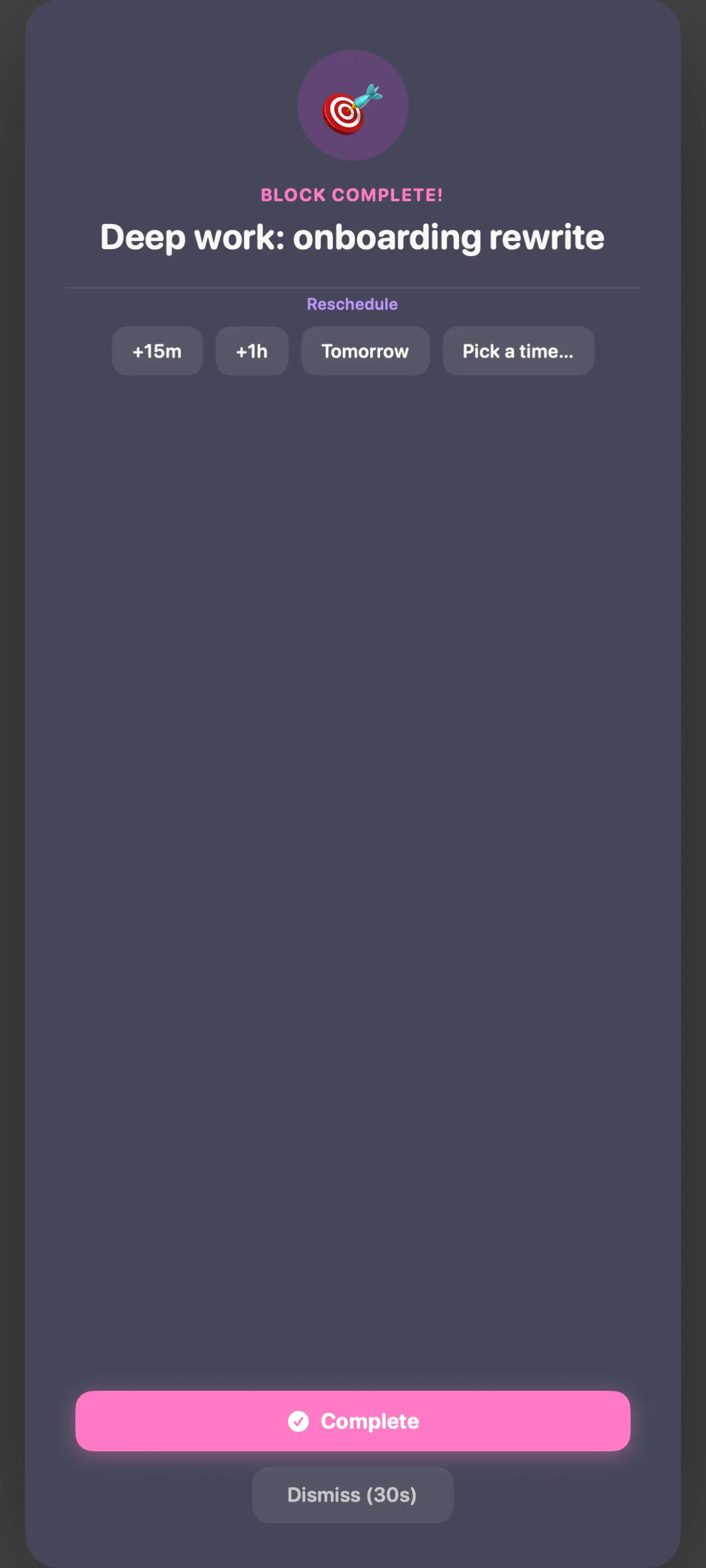
A nudge when the block ends
Focusly puts this in front of you the moment a block runs out. Mark it complete, or push it 15 minutes, an hour, or to tomorrow — without opening anything.
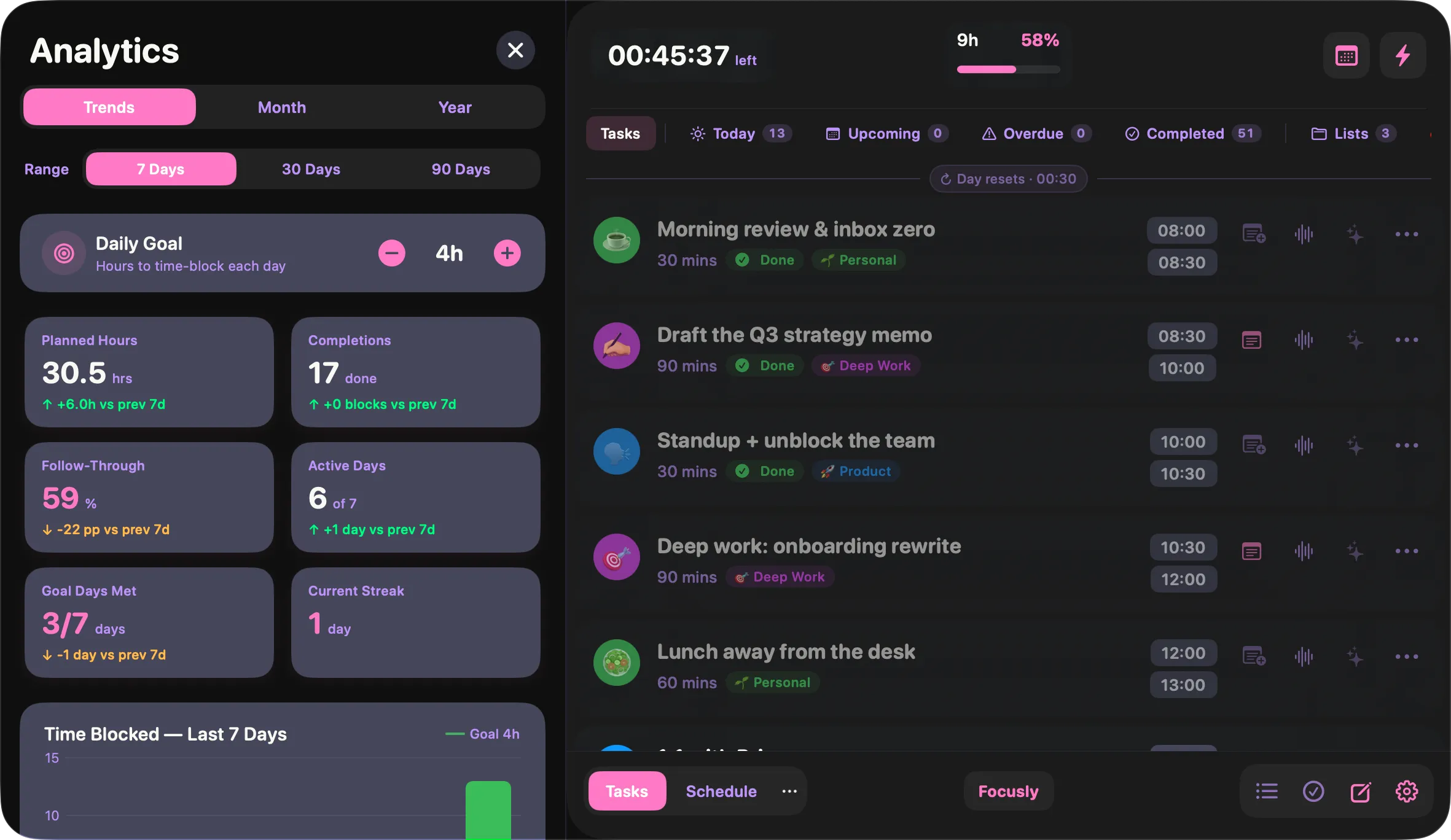
Where the hours actually went
Planned against completed, follow-through rate, active days, current streak and best day — over 7, 30 or 90 days.
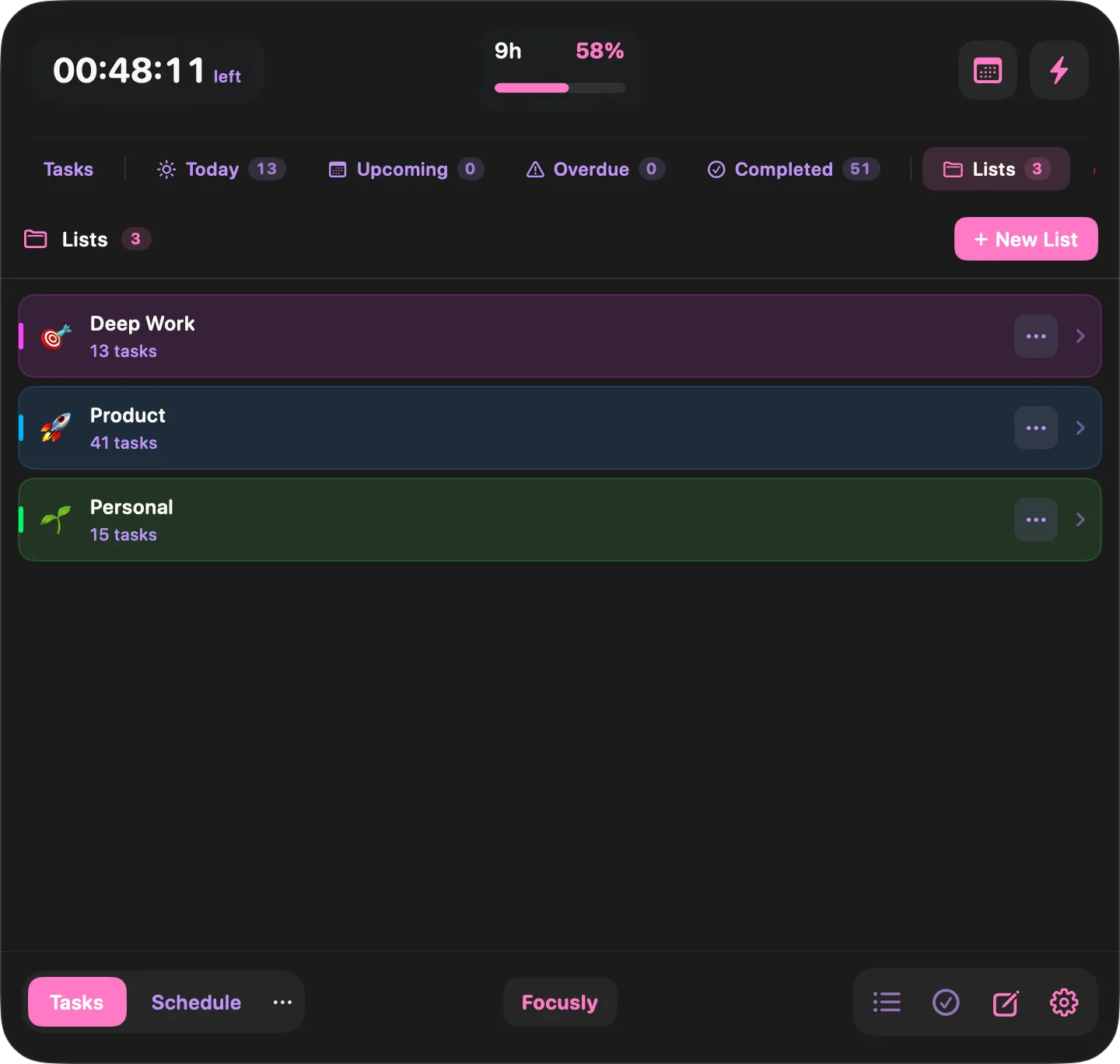
Lists keep projects apart
Deep work, product, personal — each with its own colour and count, so you can filter the day down to one thread.
From download to focused in minutes
No complicated setup, no onboarding flows. Just download and start blocking your day.
Download & start your free trial
Enter your email to unlock 14 days of full access — no credit card, no commitments. The full Focusly experience from minute one.
Block your day your way
Create time blocks for deep work, meetings, and breaks. Connect your calendar, set up templates for recurring routines, and customise everything to match how you think.
Stay in flow, automatically
Focusly tracks your blocks in the background and sends a fullscreen alert when it's time to move on. No willpower required.
One price. Lifetime access.
No subscriptions. No renewal reminders. Pay once and Focusly is yours forever — including all future updates.
Ready to own your day?
Start your 14-day free trial. No credit card. No commitments.
Start Free TrialmacOS 14 Sonoma or later